 SMS Exporter
Export your SMS and MMS to PDF, Excel, CSV or TXT
Transfer your text messages to a computer or another phone in three taps. Free, with no ads and no limits.

How to export your SMS
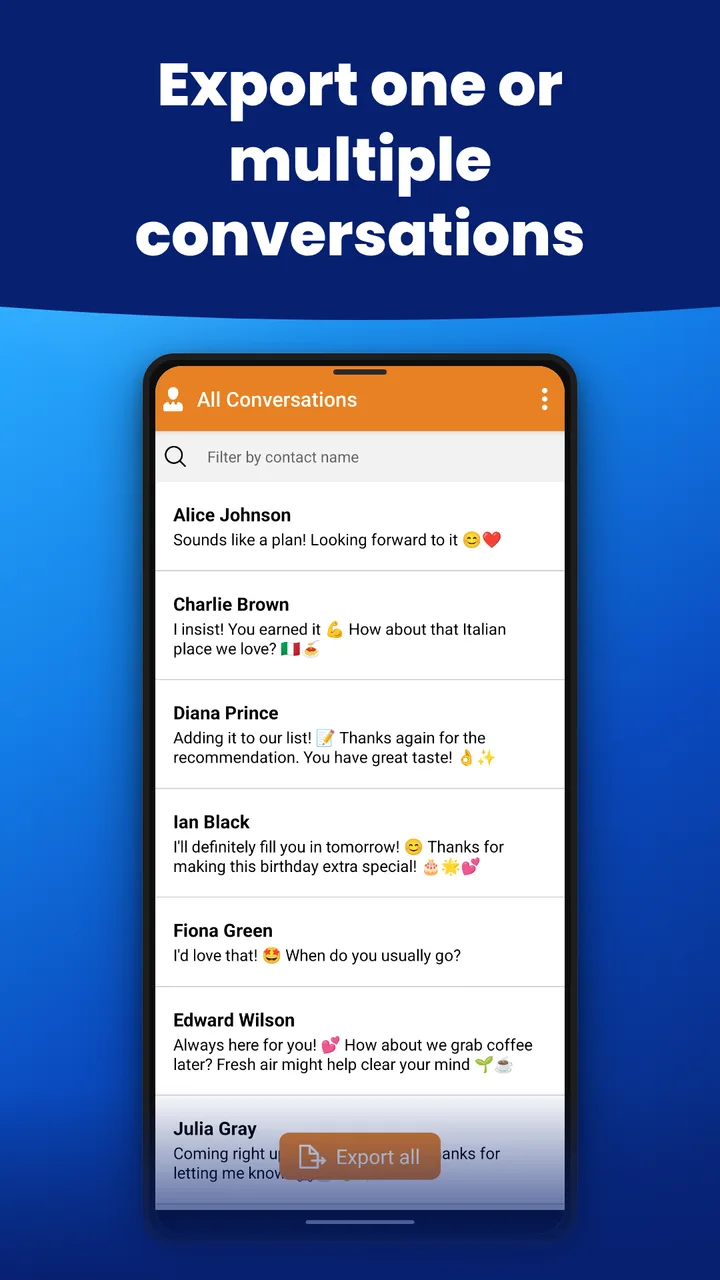
- Select conversations. Choose one conversation, or select all your messages at once.
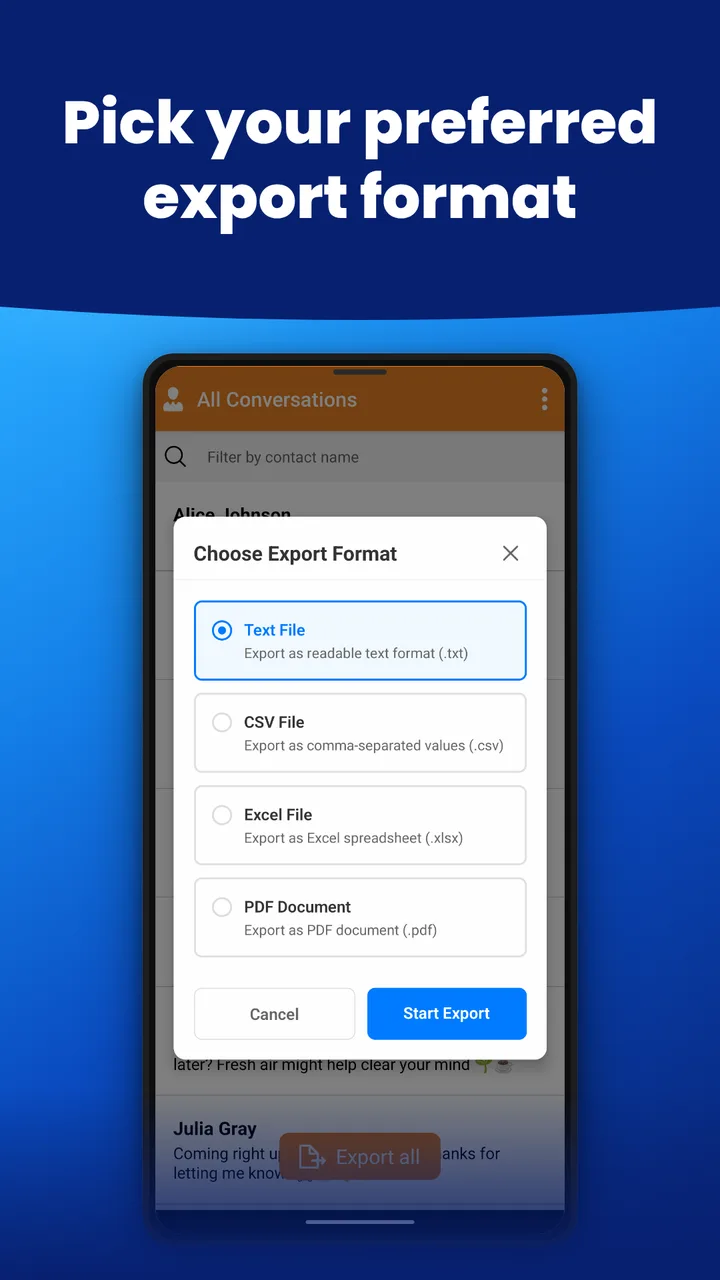
- Choose a format. Tap the Export button and pick TXT, CSV, PDF or XLSX.
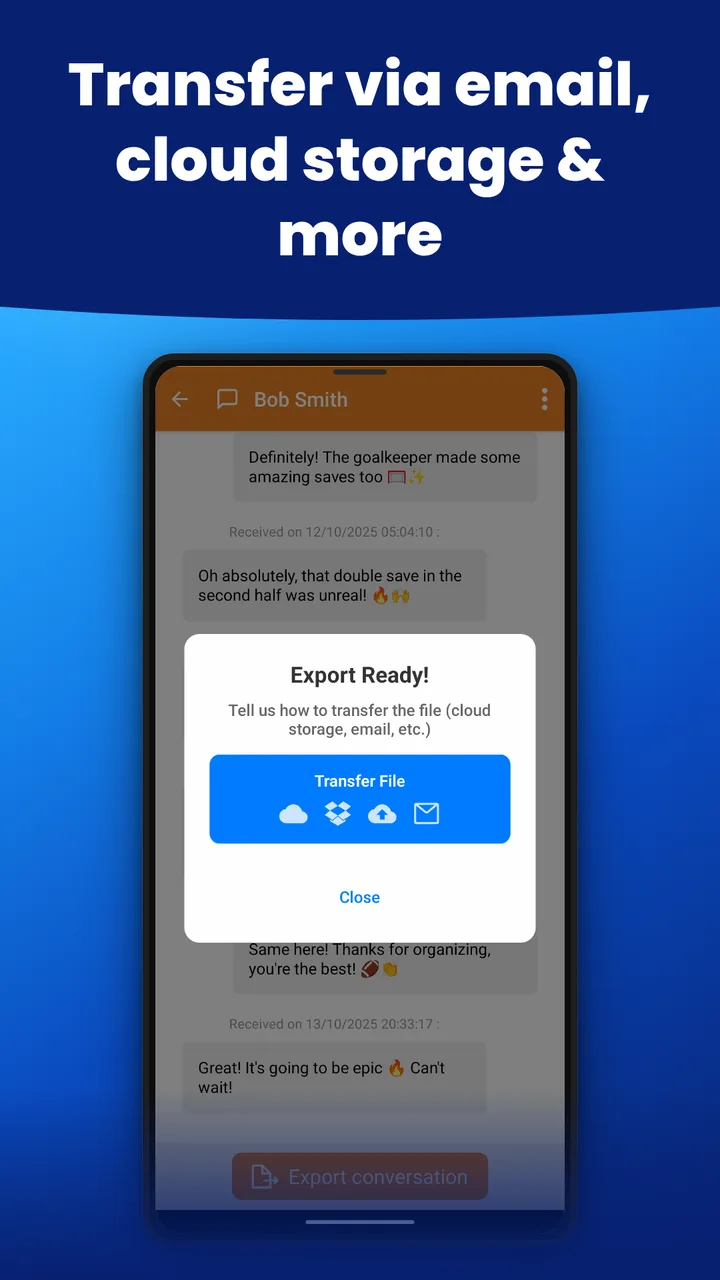
- Transfer your file. Share it by email, through cloud storage such as Google Drive or Dropbox, or with a messaging app.
Why SMS Exporter
- Easy to use. Three taps, with no complicated setup.
- Back up your messages. Keep important conversations before switching phones or resetting your device.
- Free, with no ads and no limits. Export as many conversations as you want. You can support the app with an optional purchase, but every feature stays free.
- Share anywhere. Send your files by email, Google Drive, Dropbox, or any app you prefer.
Supported export formats
- TXT: simple text, for quick reading and sharing.
- CSV: for spreadsheets, databases and data analysis tools.
- PDF: for archiving and printing conversations.
- XLSX: Excel format, with easy sorting.
Privacy first
Your data stays yours. SMS Exporter never collects or stores any of your messages: everything remains on your device, and you decide where your exported files go.
Frequently asked questions
Is SMS Exporter really free?
Yes. You can export unlimited SMS and MMS conversations, with no ads and no subscription. An optional purchase lets you support the app.
Can I export all my text messages at once?
Yes. Select all your conversations and export them in one go, or choose specific conversations.
Which format should I choose?
Choose PDF for easy reading and archiving, XLSX or CSV to work in a spreadsheet, and TXT for the simplest format.
How do I transfer exported files to my computer?
After exporting, share the file by email, upload it to cloud storage such as Google Drive or Dropbox, or use any app you prefer.
Why should I back up my SMS?
Backups protect your messages before you switch phones or reset your device, and preserve important conversations, business messages or sentimental texts.
Get SMS Exporter